In under five minutes, this guide shows you how to deploy a powerful AI agent that combines confidential computing with blockchain identity. You will launch an agent that runs in a hardware-secured Trusted Execution Environment (TEE) and possesses a verifiable on-chain identity using the ERC-8004 standard.
This approach solves a critical problem: how to trust autonomous agents. By giving your AI a secure, on-chain passport, you enable it to interact verifiably with the decentralized world.
What You'll Build
An AI agent that:
- Runs in Intel TDX (trusted execution environment)
- Has verifiable on-chain identity (ERC-8004)
- Signs messages with TEE-derived keys
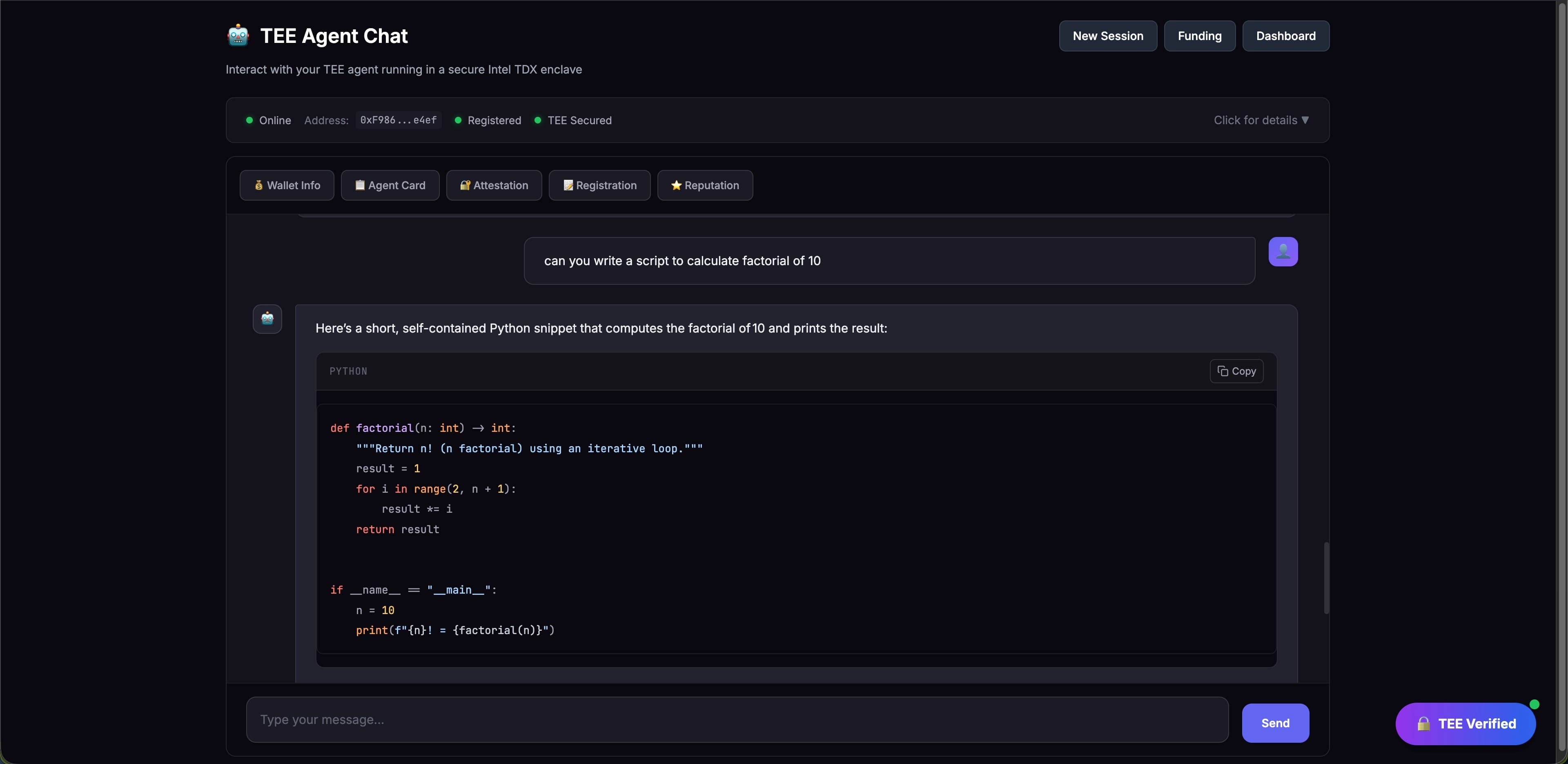
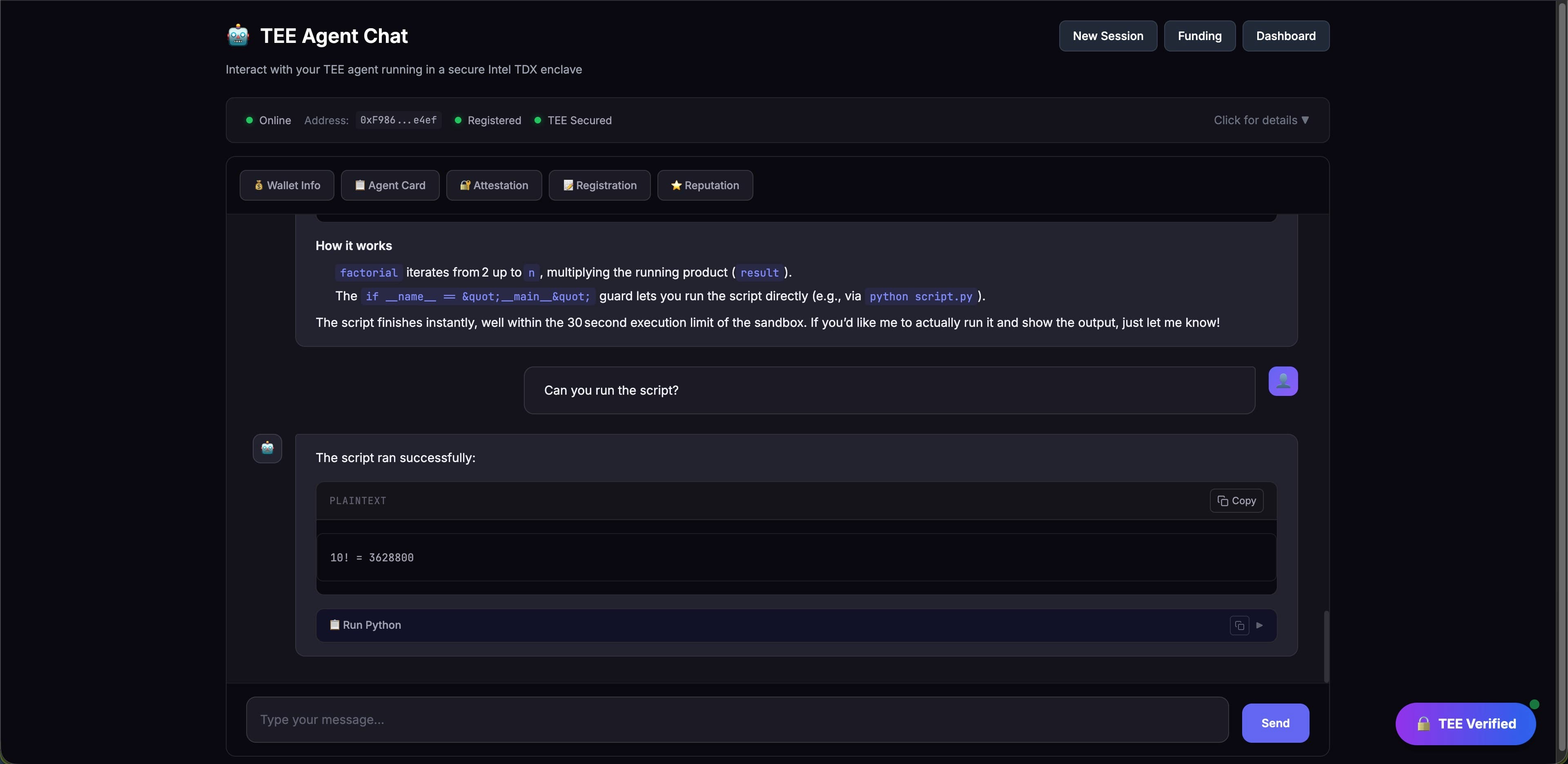
- Executes Python/shell code securely
- Provides cryptographic attestation proofs
Prerequisites
- Phala Cloud account
- Wallet with Sepolia ETH (~0.01 ETH for gas)
- Subgraph API key (free)
- RedPill API key (for AI chat)
Step 1: Fork the Template
- Go to github.com/Phala-Network/erc-8004-tee-agent
- Click Fork to create your own copy
- Clone locally to customize:
git clone https://github.com/YOUR_USERNAME/erc-8004-tee-agent.git
cd erc-8004-tee-agent
Step 2: Configure Your Agent
Copy the environment template:
cp .env.example .env
Edit .env with your values:
# Required secrets
GITHUB_REPO=https://github.com/YOUR_USERNAME/YOUR_REPO.git
GIT_COMMIT_HASH=YOUR_PRODUCTION_COMMIT_HASH
AGENT_SALT=my-unique-agent-salt-12345
SUBGRAPH_API_KEY=<your-graph-api-key>
REDPILL_API_KEY=<your-redpill-key>
Important: The AGENT_SALT determines your wallet address. Use a unique, secure value and keep it secret.
Optionally customize agent_config.json:
{
  "metadata": {
    "name": "My TEE Agent",
    "description": "Your agent description"
  }
}
Step 3: Commit Your Changes
git add .
git commit -m "Configure my TEE agent"
git push origin main
Note your commit hash:
git rev-parse HEADStep 4: Deploy on Phala Cloud
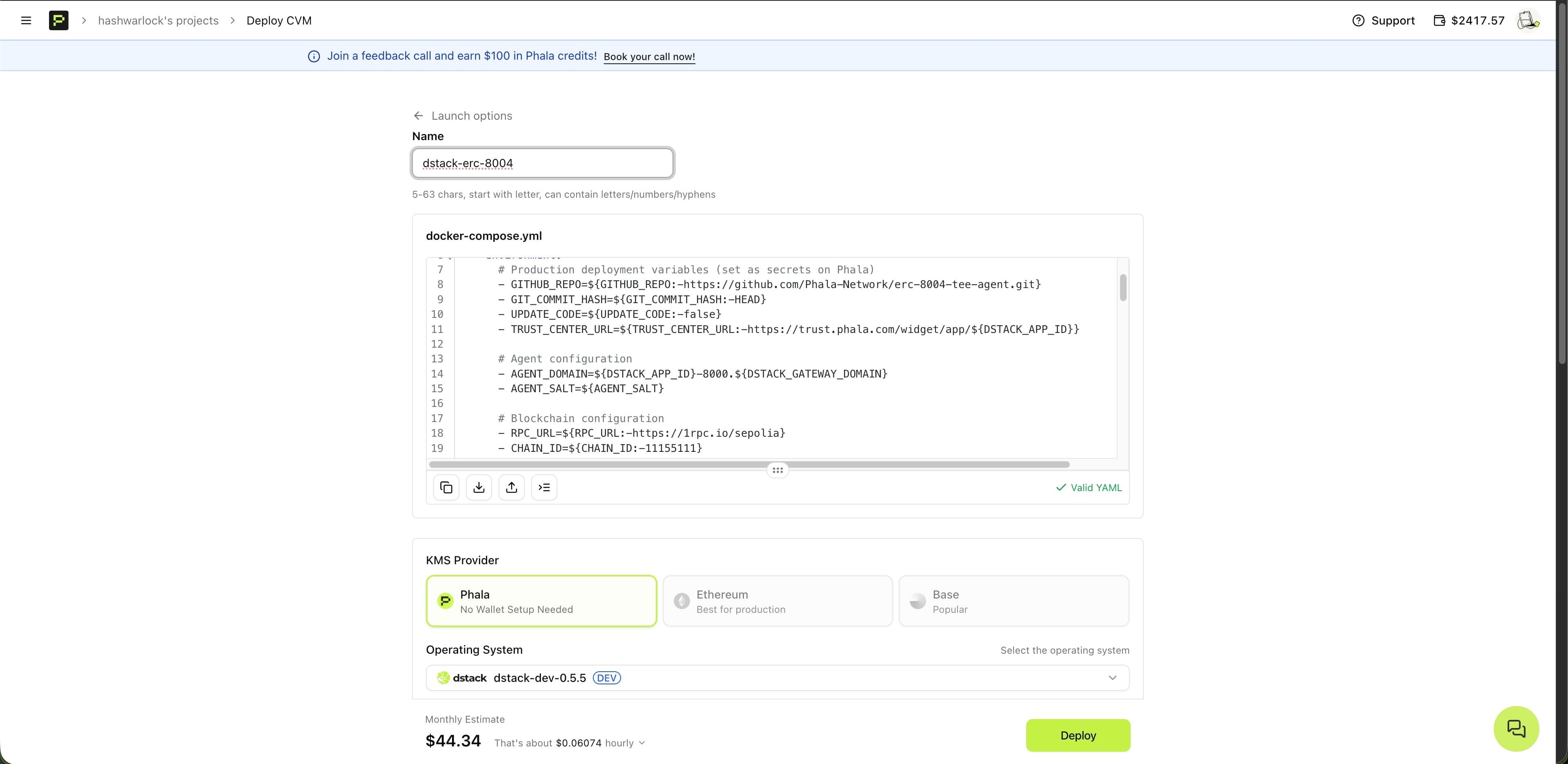
- Go to cloud.phala.com or use the Phala Cloud CLI
- Click Deploy New CVM
- Upload
docker-compose.ymlfrom your repository
Configure Your Instance
| Setting | Value |
| OS | dstack-0.5.x or later |
| Instance | 2+ vCPU, 4GB+ RAM, 10GB+ storage |
Set Environment Variables
Add these as encrypted secrets:
| Variable | Value |
GITHUB_REPO | https://github.com/YOUR_USERNAME/erc-8004-tee-agent.git |
GIT_COMMIT_HASH | Your commit hash from Step 3 |
AGENT_SALT | Your unique secret salt |
SUBGRAPH_API_KEY | Your Graph API key |
REDPILL_API_KEY | Your RedPill API key |
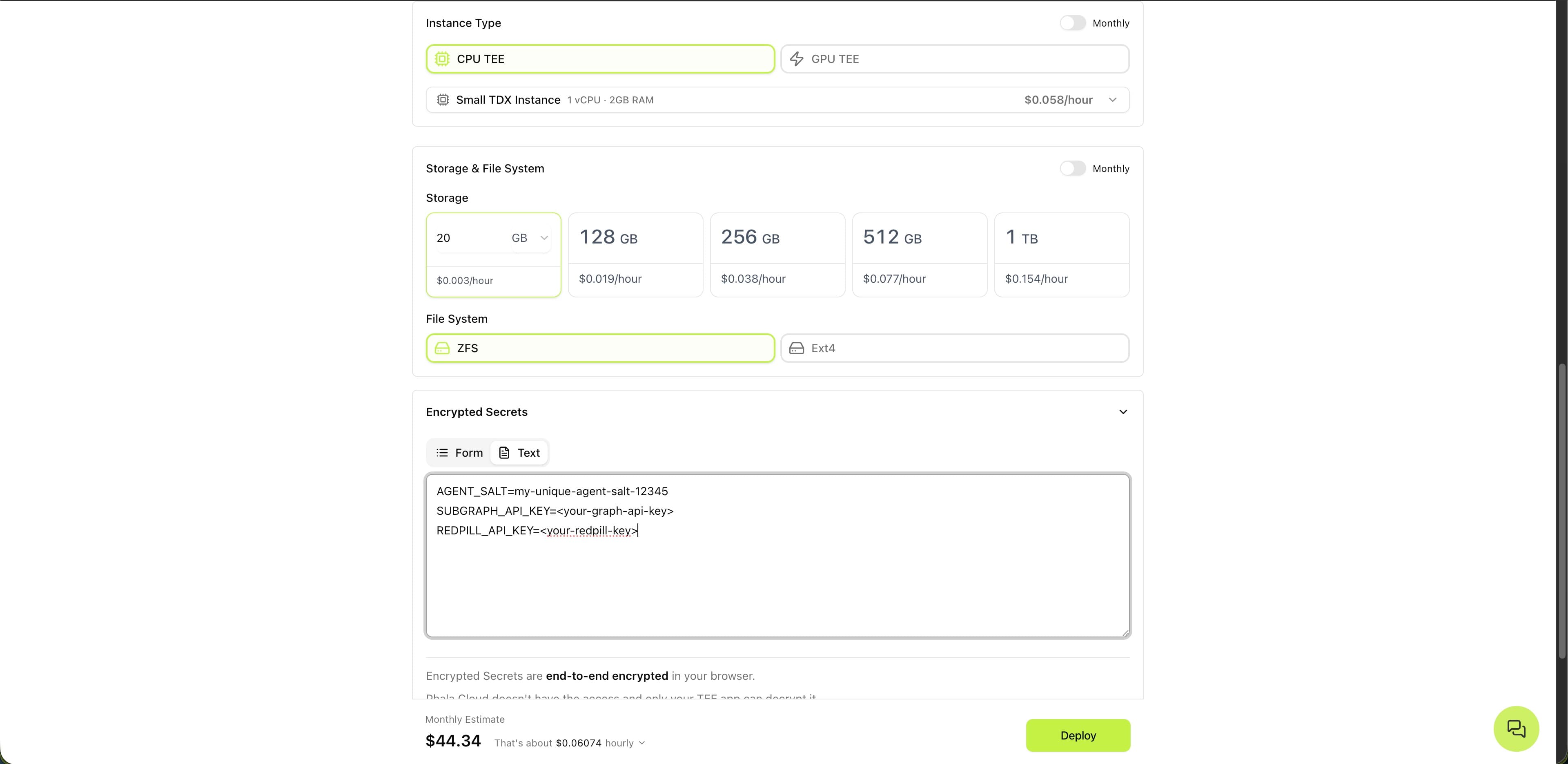
Click Deploy and wait for provisioning (~2-3 minutes).
Deploy Through CLI
# Sign into your Phala Cloud Account
npx phala auth login

# Set your .env variables
cp .env.example .env

# Deploy to Phala Cloud
npx phala deploy -e .env
Step 5: Access Your Agent
- Go to View Details → Networks
- Your agent URL:
https://<app-id>-8000.<gateway-domain> - Open it in your browser
You'll see the Dashboard with your wallet address.
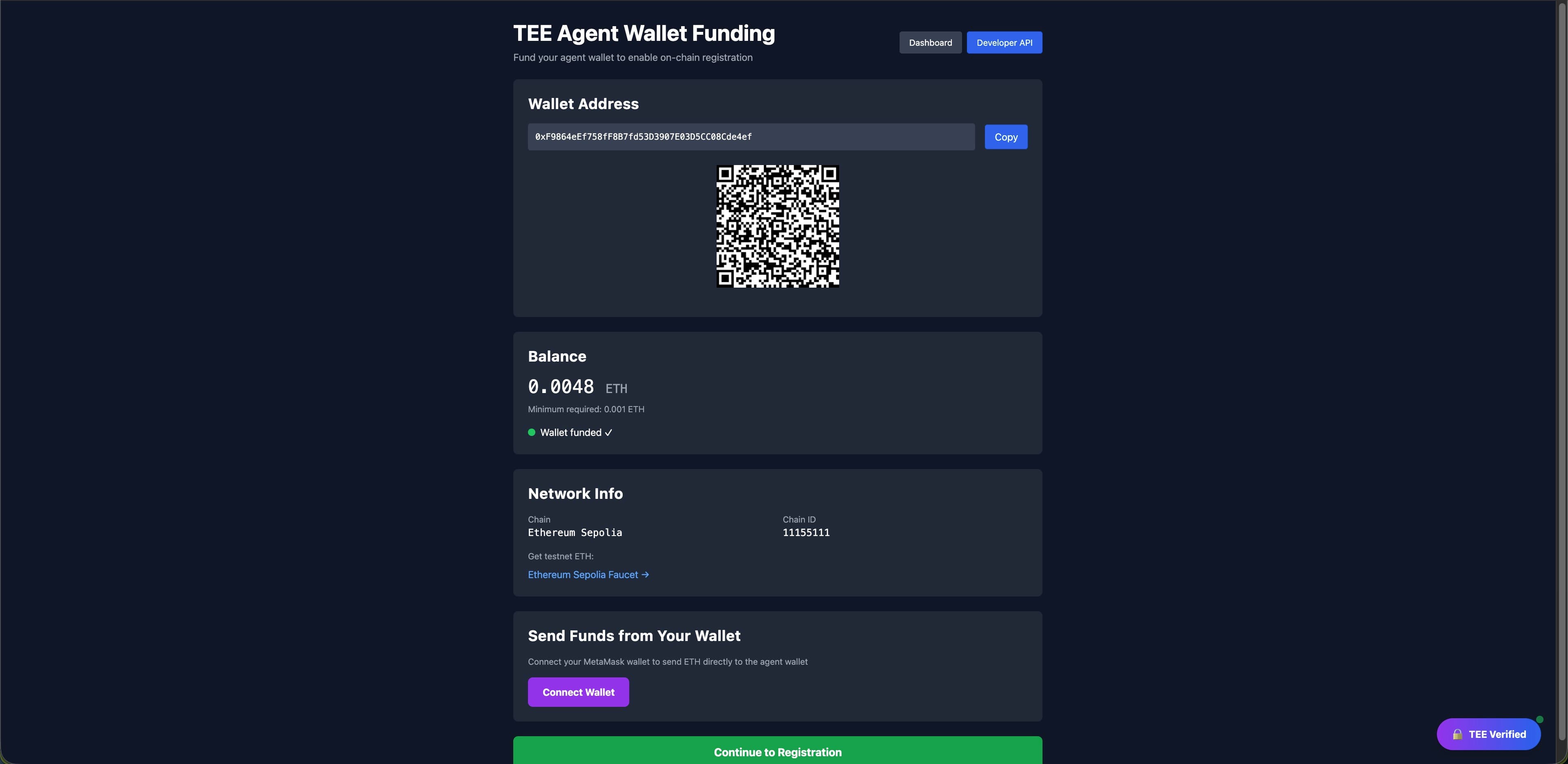
Step 6: Fund Your Wallet
- Copy your wallet address from the Dashboard
- Send ~0.01 Sepolia ETH to this address
Get free Sepolia ETH from:
Wait for the transaction to confirm.
Step 7: Register Your Agent
On the Dashboard:
- Step 1: Register Identity
- Click Register
- Wait for blockchain confirmation (~15-30 seconds)
- Step 2: Submit Reputation
- Click Submit Initial Reputation
- This creates your on-chain reputation entry
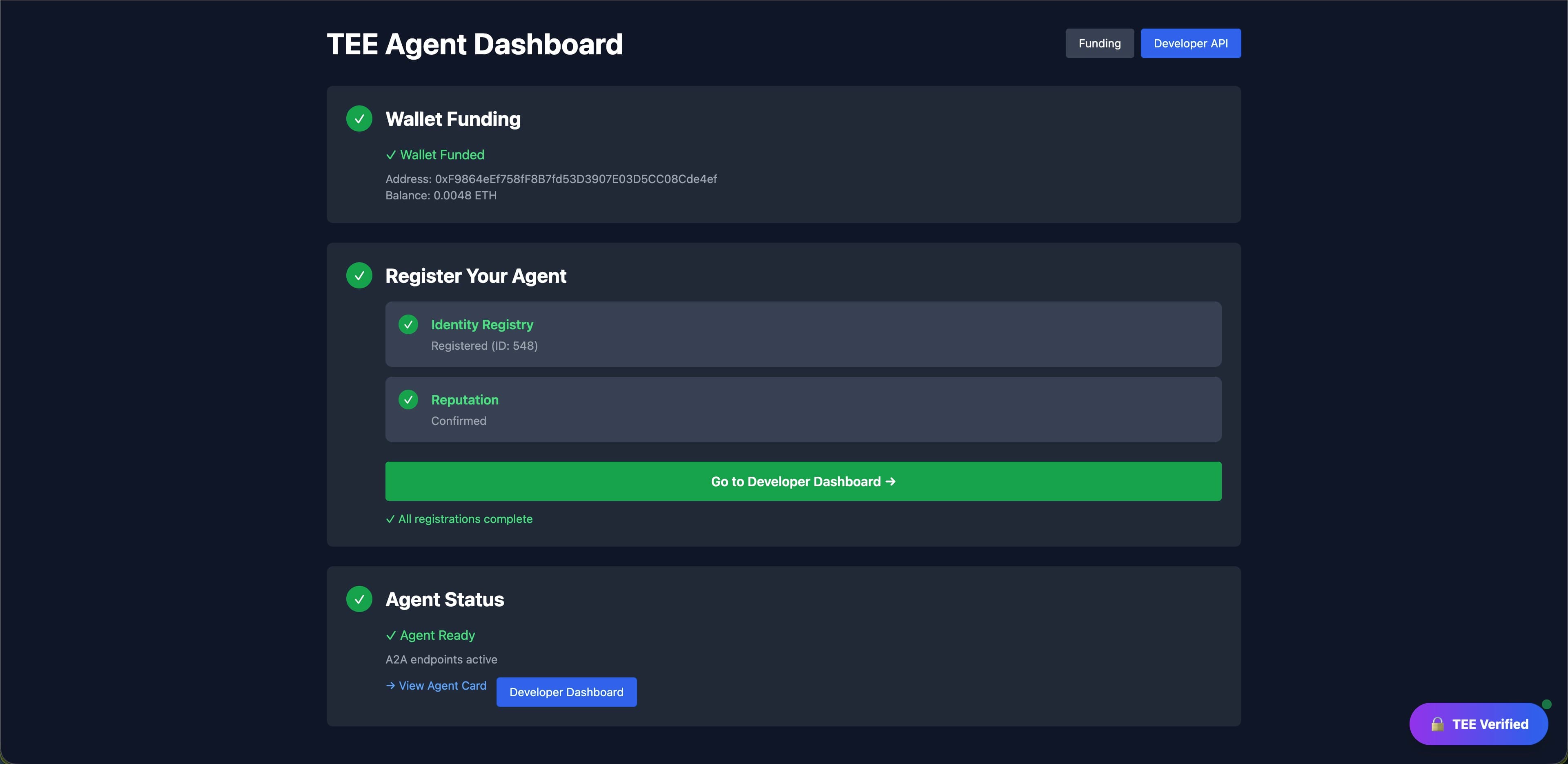
Your agent now has an on-chain identity!
Step 8: Start Chatting
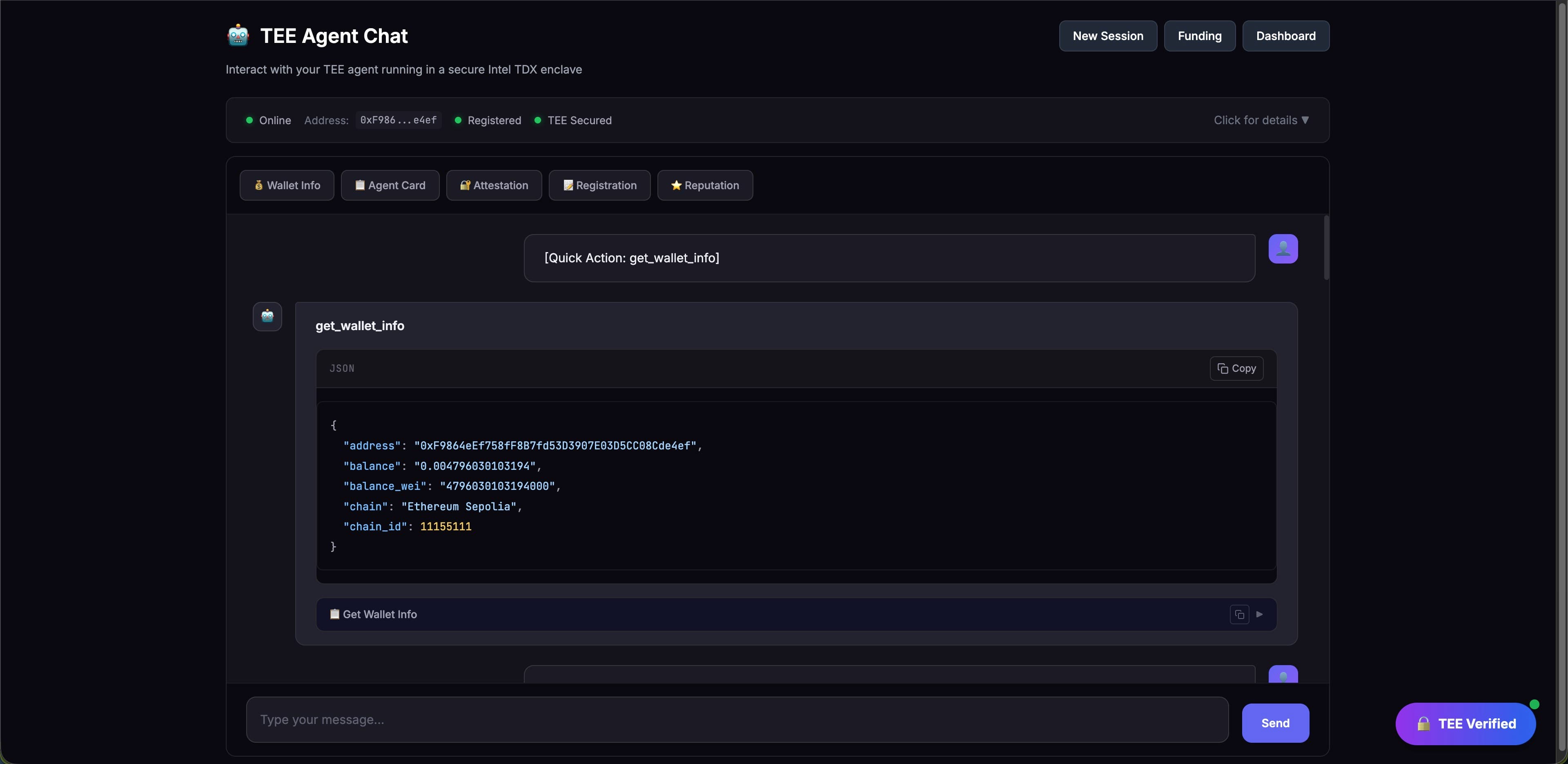
Click Developer API to access the chat interface.
Try these commands:
- "What's my wallet address?"
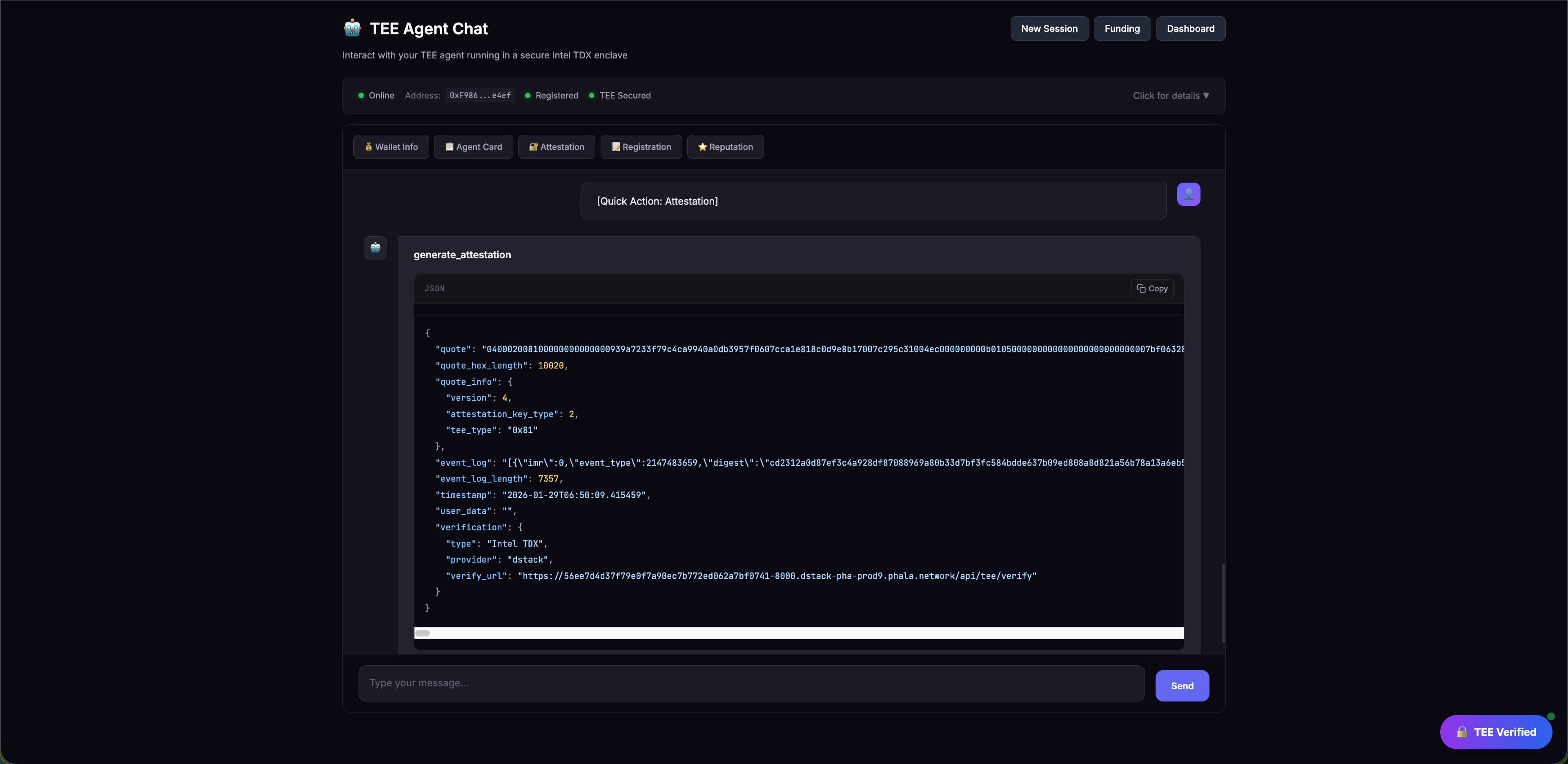
- "Generate an attestation proof"
- "Run this Python code: print('Hello from TEE!')"
- "Sign this message: Hello World"
Verify Your Agent
Check On-Chain Registration
Visit Sepolia Etherscan and search for:
- IdentityRegistry:
0x8004A818BFB912233c491871b3d84c89A494BD9e - ReputationRegistry:
0x8004B663056A597Dffe9eCcC1965A193B7388713
Your agent should appear in both registries.
Verify TEE Attestation
In the chat, ask:
Generate an attestation proofThe response includes:
- TDX quote (cryptographic proof)
- Event log (execution trace)
- Verification info
Customization
Change Agent Metadata
Edit agent_config.json:
{
  "metadata": {
    "name": "My Custom Agent",
    "description": "What my agent does"
  },
  "capabilities": {
    "domains": ["finance", "data-analysis"],
    "skills": ["python-execution", "api-integration"]
  }
}
Add Custom Tools
Modify src/agent/chat_agent.py to add capabilities:
- Database queries
- External API calls
- Custom computations
Update Your Deployment
After changes:
git add . && git commit -m "Update agent"
git push origin main
Get new commit hash and update GIT_COMMIT_HASH in Phala Cloud, then redeploy.
Troubleshooting
"Agent not registered"
- Check wallet has sufficient ETH
- Verify the transaction confirmed on Etherscan
"Subgraph query failed"
- Verify
SUBGRAPH_API_KEYis set correctly - Check The Graph status
"Chat not responding"
- Verify
REDPILL_API_KEYis valid - Check logs in Phala Cloud dashboard
Need Help?
Congratulations! You've deployed a TEE-secured AI agent with on-chain identity.